Introduction
No, a freelancer should not take down a website for non-payment by simply switching it off. That is the short answer, and it surprises most freelancers, because the site feels like theirs. They built it, the client has not paid for it, and the switch is right there in their hands. But the law draws a hard line between work you have not handed over yet and a website that is already live, and crossing that line can turn a strong claim for payment into a claim against you.
There are two lawful routes, and this guide covers both. The first is the contract route: if the site sits on your hosting and your contract gives you a suspension right with written notice, you can suspend it, because then you are performing the contract, not breaking it. The second is the copyright route: if you still own the copyright in the work, you can send a DMCA takedown notice to the hosting provider and ask the host to remove it. Both routes have rules, and both have traps. This guide covers the hosting split that decides everything, why switching a site off yourself is dangerous, how the DMCA route actually works step by step, the clause to write into your next contract, and what to do instead when neither route is open to you. I am not a lawyer and this is general information, not legal advice. Where a rule matters, I have checked it against the statute text, the US Copyright Office, or a law firm source, and the sources are listed at the end.
If you are here because a client owes you money for a website, start with the two guides that sit before this one in the payment ladder. My guide on withholding final files until paid covers the step that comes before a take-down, holding back work you have not yet handed over. My guide on collecting unpaid invoices is where I tell the story of the client who disappeared on payment day, and it is the pillar this whole payment cluster is built on. A deposit protects the start of a project, which is why I wrote my guide on how much deposit to charge. This guide covers the moment after launch, when the site is already live and the invoice is still unpaid.
The Hosting Split That Decides Everything
The first question is not whether the client owes you money. The client probably does, and that is not in dispute. The first question is where the website lives, because that single fact decides which of your options are open and which are dangerous. A website on your server is a service you are providing. A website on the client’s server is the client’s property sitting on the client’s systems, and reaching into it to switch it off is a different act entirely.
| Where the website lives | What you can do | Risk level |
|---|---|---|
| On your hosting account or your server | Suspend the service after the written notice your contract requires | Low risk, when the contract gives you a suspension right |
| On the client’s own hosting account | Do not switch it off yourself; use the DMCA route or the courts instead | High risk, even if the client owes you money |
| On a staging link on your server, not yet launched | Switch the staging link off; the site was never handed over | Low risk, because nothing live was taken away |
A demand letter service for web developers states the hosting split plainly: if the site is hosted on your server or your hosting account, most contracts allow you to suspend service for nonpayment after providing written notice. If the site is hosted on the client’s own hosting account, taking it down could create legal liability for you, and the safer approach is to withhold further updates, support, and code transfer while pursuing the debt through legal channels. That is the whole guide in one paragraph, and everything below is the detail behind it.
Think about why the split matters. When you host the site, you are the one providing an ongoing service, like a landlord providing a flat. If the tenant stops paying, the service can be paused under the terms you both agreed. When the client hosts the site, the site is running on their systems, under their account, often holding their customer data, their email, and their sales. Switching it off from the outside means logging into systems that are no longer yours to control, and the harm you cause by doing that can be much larger than the unpaid invoice. A small business website that goes dark for a day can lose sales, customers, and search rankings, and a judge will notice that the damage you caused is bigger than the debt you were trying to collect.
The staging case is the easy one, and it is worth naming clearly. If the site is still on a staging link on your own server and has never been launched on the client’s hosting, switching that link off is simply withholding work you have not handed over yet. That is the same low-risk step my withholding guide covers, and it is not a take-down at all. The danger starts only when the site is live, on the client’s systems, and serving their customers.
Why Switching It Off Yourself Is Dangerous
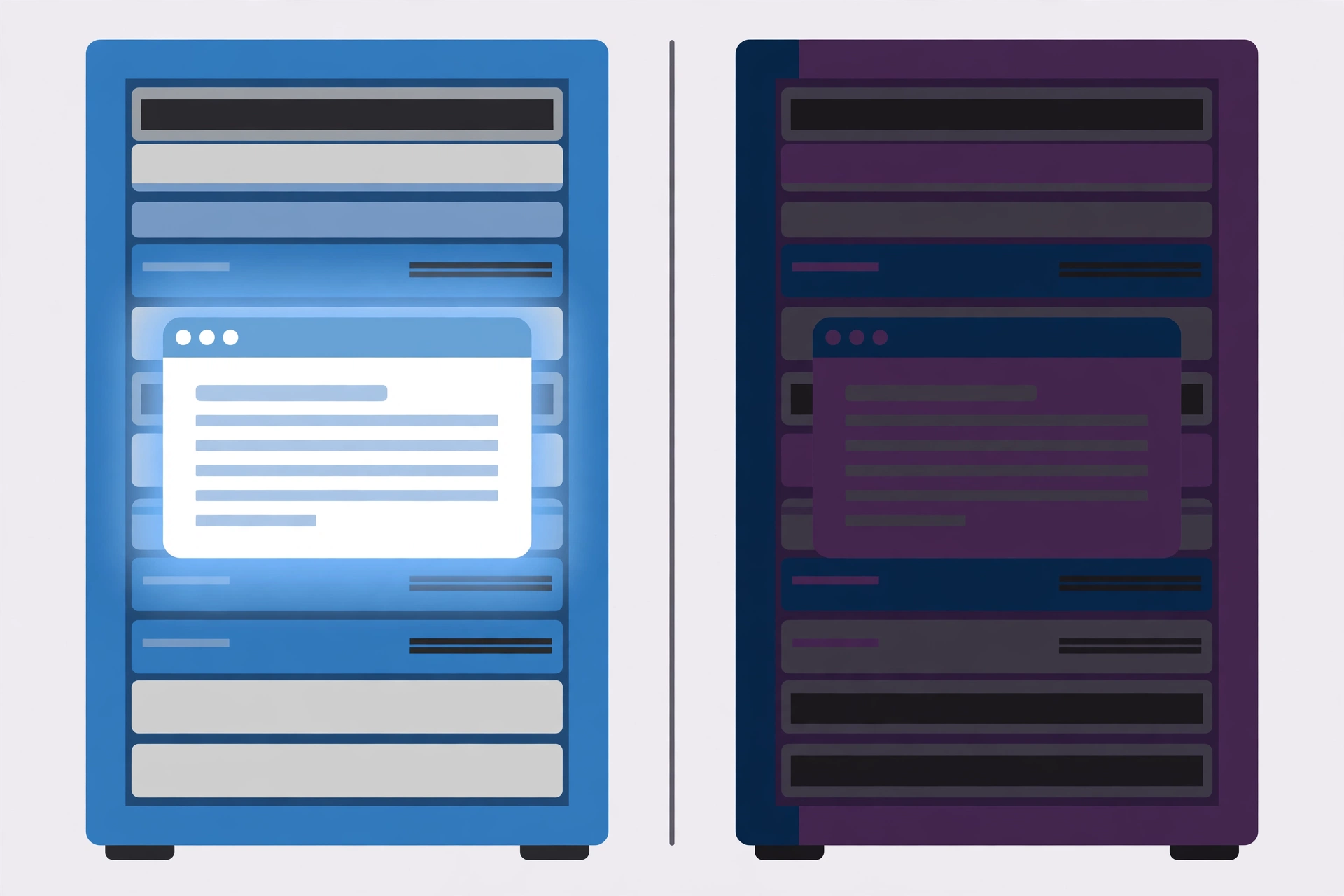
Switching off a live client website feels like the obvious lever, and it is the one thing a software developer should never do over a billing dispute, unless the contract explicitly gives the right to do it. That is the short answer from a US law firm that works with software developers every day, and the reason is a federal law most freelancers have never heard of: the Computer Fraud and Abuse Act, 18 U.S.C. section 1030, usually called the CFAA.
The CFAA is a federal law that makes unauthorized access to a computer system both a civil wrong and a federal crime. The law firm puts it bluntly: taking the step of shutting down a customer’s site without clear contractual authority “exposes you to a Computer Fraud and Abuse Act violation, which is both a civil and a federal criminal statute”. The danger is wider than most developers expect, because the law does not require hacking in the Hollywood sense. It covers any unauthorized computer access, including access you once had permission for but no longer have authorization to use. The login details that still work are not permission. The fact that you built the site is not permission. Permission is what the contract says, and what the client has actually agreed to.
The same article describes a case from 2015 in which a developer who shut down a client site over a billing dispute faced a CFAA claim, and the court treated that claim as a sufficiently serious theory to proceed. I am not naming the case here, because the source article does not give the name, and I will not invent a citation. The point that matters for this guide is the one the article draws from it: a court was willing to let a CFAA claim over a billing-dispute shutdown go forward, which means the risk is real and not theoretical.
Behind the CFAA sits an older idea that explains why the law treats this so seriously. When you repossess or disable something you delivered, the law calls that a self-help remedy, and self-help remedies are heavily regulated. Think of a car loan: if you stop making payments, the bank can repossess your car, but it cannot break into your locked garage to do it. That limitation, the prohibition on breach of the peace, exists to protect the person whose property is being repossessed. The same principle applies to software. You may have the technical ability to cut off access, but whether you have the legal right to do so depends entirely on what your contract says and what jurisdiction governs. The technical ability is not the legal right, and confusing the two is the mistake this guide exists to prevent.
There is a second, practical danger that has nothing to do with statutes. Taking a site down weakens your own claim. A guide for web designers puts it plainly: on hosting the client controls, switching a site off can be treated as unauthorized access and it weakens your claim. Instead of being the freelancer who is owed money, you become the freelancer who shut down a business, and the client now has a complaint of their own. A story that spread online in 2025 shows how badly this can go: a designer, after a client refused to pay the rest of the fee, replaced the site with a loading screen and deleted the old site files using login details that still worked. The report that covered it warned that deleting the files could create legal liability, and that court costs could end up larger than the debt. I have not verified the original story, so I am not naming anyone or quoting figures from it. The lesson stands on its own: deleting or disabling work you already delivered can cost you more than the invoice was worth.
One more boundary belongs in this section, because it is the mistake that turns a bad situation into a disaster. Never hold a client’s own domain, email, or data hostage. The domain, the email accounts, and the client’s own data belong to the client, not to you, even when the client owes you money. Changing passwords to lock the client out, redirecting their domain, or deleting their data can cause losses far beyond the unpaid invoice, and it can expose you to a claim of your own. A law firm source advises freelancers directly: do not demolish, remove, disable, or damage completed work simply because you have not been paid. If the files are already in the client’s hands, your remedy is the contract, a demand letter, and the courts, not self-help.
The Copyright Reason a DMCA Notice Can Work
So if you cannot switch the site off yourself, what can you do? The answer sits in copyright law, and it is the same fact that powers the whole payment cluster on this site: in US copyright law, you own the work you create from the moment you create it, and nobody else owns it until you transfer it to them in a signed writing. Payment alone does not transfer copyright. Delivery alone does not transfer it either. Only a signed written transfer does, and until that transfer exists, the work is yours.
The statute is section 204(a) of the Copyright Act, 17 U.S.C. section 204(a), and its wording leaves no room for argument: “A transfer of copyright ownership, other than by operation of law, is not valid unless an instrument of conveyance, or a note or memorandum of the transfer, is in writing and signed by the owner of the rights conveyed or such owner’s duly authorized agent.” Read that again, slowly, because it is the legal basis for the DMCA route in this guide. A client who has paid nothing, signed nothing, and received the files still does not own your copyright. A client who has paid in full but signed nothing still does not own the copyright, even though they may have a licence to use what you delivered.
There is one exception, and it is narrower than most clients think. A “work made for hire” belongs to the hiring party from creation, not to the person who made it. But section 101 of the Copyright Act limits that category tightly. A work prepared by an employee within the scope of employment qualifies. For an independent contractor, a work qualifies only if it is specially ordered or commissioned for use as a contribution to a collective work, as a part of a motion picture or other audiovisual work, as a translation, as a supplementary work, as a compilation, as an instructional text, as a test, as answer material for a test, or as an atlas, and only if the parties expressly agree in a written instrument signed by them that the work shall be considered a work made for hire. Both conditions must be met: the category must fit, and both sides must have signed an agreement saying so.
Most freelance website work fails that test. A website design, a set of pages, a logo, or a custom piece of code is usually none of those listed categories, and even when it is, there is often no signed agreement calling it a work made for hire. That means the freelancer is usually the copyright owner from creation, unless a signed assignment moves ownership. And that ownership is what gives you the right to send a DMCA takedown notice to the hosting provider, because only the copyright owner, or someone authorized by the owner, can send a valid one. The DMCA route works because you are asking the host to remove infringing material, not because you are reaching into the client’s systems yourself. That difference is the whole point.
But the copyright point has a limit, and it is important to be honest about it. If you signed an agreement that transferred the copyright to the client, or a work made for hire agreement that fits the narrow categories above, you no longer own the copyright, and you cannot send a DMCA notice for work that is no longer yours. Sending one anyway would be a false notice, and the next section explains why that is dangerous. Before you send anything, read your own contract and find out who owns the copyright right now. That one check decides whether the DMCA route is open to you at all.
How to Send a DMCA Takedown Notice, Step by Step
A DMCA takedown notice is a written notice under 17 U.S.C. section 512, sent to the hosting provider, asking it to remove material that infringes your copyright. The system is called notice and takedown: the host removes the material quickly, and in return the host keeps its safe harbour from copyright damages for material its users upload. You do not need to hire a lawyer to send one, and you do not need to have registered your work first. The US Copyright Office says so plainly: a copyright registration is not required before sending a takedown notice, although for US works a registration is required before suing in court for copyright infringement. Follow these six steps in order:
- Confirm that you still own the copyright. Check your contract for a signed assignment or a work made for hire clause. If you signed the copyright away, stop here: the DMCA route is not open to you, and the demand letter and small claims routes in the section below are the ones to use. If no signed transfer exists, you are the owner, and you can proceed.
- Find out who hosts the website. The notice goes to the hosting provider, not to the client and not to the domain registrar, although the registrar can help you identify the host. A free lookup tool will show the hosting company behind an IP address or a domain. Write down the host name and the exact URLs of the pages that use your work.
- Find the host’s designated DMCA agent. Every hosting provider that wants the safe harbour must register a DMCA agent with the US Copyright Office and post the agent’s contact details on its own website. You can find the agent in the Copyright Office DMCA Designated Agent database, or on the host’s own copyright or legal page. Many large hosts also offer a web form for takedown notices, which is often faster than email.
- Write the notice with all six elements. The next section lists exactly what the notice must contain. Leave nothing out, because a notice that misses the important elements can be treated as if it was never received. State only what is true: identify your work, identify the infringing pages, and say plainly that you believe in good faith that the use was not authorized.
- Send the notice to the designated agent and keep a copy. Send it to the agent’s published address or through the host’s form, and keep a dated copy of everything you sent, plus the delivery confirmation. Tell the client in writing, on the same day, that you have sent a takedown notice and why, and that the site will be restored as soon as the invoice is paid and the copyright position is settled.
- Expect a counter-notice, and be ready for it. The client can send a counter-notice saying the material is not infringing or that they have a right to use it. If they do, the host must restore the material within 10 to 14 business days unless you tell the host that you have sued. That is the law, and it means a DMCA notice is a pause, not a permanent removal, unless you are prepared to follow through in court. Do not send a notice you are not prepared to defend.
Two practical notes make this process work. First, send the notice about the work you own, not about the whole website. If you designed the pages and wrote the code, the notice covers that design and code. If the client supplied their own text, photos, or logo, those are not yours to take down, and including them in the notice weakens it. Second, keep the tone factual. A notice is a legal document, not a threat, and the host will judge it on its contents, not on how angry you are. The facts are strong enough on their own: you own the copyright, the client has not paid, and the use was not authorized.
What a DMCA Notice Must Contain
Section 512(c)(3) of the Copyright Act lists six elements, and the US Copyright Office repeats them in plain language. Your notice must include substantially the following information:
- Your signature. A physical or electronic signature of a person authorized to act for the copyright owner. A typed full name works as an electronic signature on most host forms.
- Identification of your work. A clear description of the copyrighted work you believe is being infringed, for example the website design, the page layouts, or the custom code you created for the project.
- Identification of the infringing material. The exact URLs where the infringing material appears, with enough information for the host to locate it. List every page, not just the home page.
- Your contact information. Your address, telephone number, and email address, so the host can reach you with any response it receives from the client.
- A good faith statement. A statement that you have a good faith belief that the use of the work in the manner complained of is not authorized by the copyright owner, an agent of the owner, or the law.
- An accuracy statement under penalty of perjury. A statement that the information in the notice is accurate and that, under penalty of perjury, you are the copyright owner or are authorized to act on behalf of the owner of an exclusive right that is allegedly infringed.
That last element is the one people skim past, and it is the one that matters most. “Under penalty of perjury” means you are swearing to the truth of what you say, and the Copyright Office warns that if you knowingly make a material misrepresentation, that is, if you falsely assert in your notice that the complained-of use is infringing, you can be liable for any damages, costs, and attorneys’ fees incurred by the user or the hosting provider. The statute behind that warning is section 512(f), and a law firm guide states it the same way: any person who knowingly and materially misrepresents that material is infringing is liable for the damages, costs, and attorney fees of the party injured by the platform’s reliance on the notice. A DMCA notice is a real legal tool, and it must be used on real facts.
The Risks of a Bad DMCA Notice
A DMCA notice sent on solid facts is a strong tool. A DMCA notice sent as a bluff is a good way to lose a case you were winning. Three risks deserve a clear warning.
First, the counter-notice. As the step-by-step section explains, the client can answer your notice with a counter-notice, and the host must then restore the material within 10 to 14 business days unless you tell the host you have sued. If you are not prepared to sue, and most freelancers are not, the site comes back up in two weeks, the client knows your strongest card has been played, and you are back where you started, except now the client has a story to tell about you. Send the notice only when the facts are solid and you are ready for the next step.
Second, the false-notice penalty. Section 512(f) makes a person who knowingly and materially misrepresents infringement liable for the damages, costs, and attorney fees that follow from the host relying on the notice. That covers the obvious cases: sending a notice for work you already assigned away, for work the client supplied themselves, or for work the client has a licence to use because you granted one in the contract. It also covers a notice sent when you know the client has already paid. Before you send anything, check three things: who owns the copyright, whether the client has a licence, and whether the payment is genuinely still outstanding. If any of those three is unclear, get advice before you send the notice.
Third, the fair use check. A US appeals court has held that a copyright holder must consider whether the material is a fair use before sending a takedown notice, and that ignoring that duty can itself create liability. Fair use is rarely the issue in a freelance payment dispute, because a client using a whole website commercially is not making a fair use of it, but the duty is real, and a notice sent without any thought to it is a weaker notice. The safe rule is simple: send a notice only for work you own, that the client is using commercially, without payment and without a licence, and say so plainly in the notice.
None of this means you should be afraid to use the DMCA route. It means you should use it properly, on real facts, with the six elements in place, and with a plan for what happens if the client answers with a counter-notice. A notice sent properly is one of the strongest tools a freelancer has. A notice sent as a threat, on facts you have not checked, is a liability you created yourself.
The Clause to Write Into Your Next Contract
The best time to solve a take-down problem is before the project starts, when the client is happy to sign anything and the clause costs you nothing. A properly drafted software development agreement addresses payment milestones, suspension rights, and termination rights, and those provisions give you a legal, contractual right to suspend, which means exercising that right is not a CFAA violation, it is contract performance. That is the law firm’s own summary, and it is the reason this clause belongs in every website contract you sign.
Suspension for non-payment. If any invoice remains unpaid for more than 14 days after its due date, Contractor may, after giving Client 7 days’ written notice, suspend the hosting and availability of the website until the outstanding amount is paid in full. Contractor will restore the website within 2 business days of receiving full payment. Suspension under this clause is not a termination of this agreement, and all other obligations, including the obligation to pay, remain in full effect.
Notice what each part of the clause does. The 14 days after the due date gives the client a grace period, so a payment that is merely slow does not trigger a suspension. The 7 days’ written notice gives the client a cure period and a warning, so nobody can say the site vanished without warning. The promise to restore the site within 2 business days of full payment shows the client that paying solves the problem immediately, which is what makes the clause feel fair rather than punitive. And the last sentence keeps the contract alive during the suspension, so the client cannot argue that suspending the site ended the deal and with it their obligation to pay.
Two details make the clause work in practice. First, the clause only helps when the site is on your hosting. If the client hosts the site themselves, there is nothing for you to suspend, and the clause has nothing to attach to. That is why the hosting question belongs in the contract too: state plainly who hosts the site during the project and after launch, and who controls the hosting account. Second, pair the suspension clause with the delivery clause from my withholding guide: final files are delivered only after final payment, and ownership transfers only on full payment. Together, the two clauses cover both halves of the project, the files before launch and the live site after it. If you already have a contract template, compare it with this clause tonight. Most freelancer templates I have seen have no suspension sentence at all, and that missing sentence is exactly what leaves a freelancer with no lawful lever when a client stops paying after launch.
What to Do Instead, in Order
If the site is on the client’s hosting, you have no suspension right, and the DMCA route is closed because you signed the copyright away, you still have options, and they work better in order than all at once. Follow these steps before you consider anything drastic:
- Stop further work, and say so in writing. Do not build the next feature, fix the next bug, or answer the next revision request while the invoice is unpaid. Tell the client in writing that work is paused until the outstanding amount is paid, and that all deadlines move by the same number of days. Stopping work is not a take-down. It is simply not doing more unpaid work.
- Hold what you have not handed over yet. Keep the source files, the editable design files, the logins, and the domain transfer until the payment clears. My withholding guide covers this step in full, and it is the lowest-risk leverage a freelancer has.
- Find out why they have not paid. Ask, in writing, whether there is a problem with the work, a problem with the invoice, or a problem with their cash flow. A client who is unhappy with the work needs a fix. A client who lost the invoice needs a fresh copy. A client who is stalling needs a deadline. You cannot fix a problem you have not identified.
- Send a friendly reminder, then a firm one. Give the client a clear amount, a clear due date, and a clear consequence: work stays paused, and the next step is a formal demand letter. Keep every message polite and factual, because these messages are the record a court will read later.
- Send a formal demand letter with a deadline. State the amount owed, the work it covers, the contract terms that support it, and a deadline, usually 14 days. A demand letter service for web developers notes that most web development disputes of a few thousand dollars resolve within 14 to 21 days of a proper demand letter, and the letter itself shows the client you are serious. My guide on invoicing a client who ignores you covers the escalation in detail.
- File in small claims court. If the demand letter does not work, small claims court is the next step, and it is designed for exactly this kind of dispute. My guide on taking a client to small claims court for an unpaid invoice walks through the whole process, from the filing fee to the hearing.
- Consider a collections agency. A collections agency takes a percentage of what it recovers, so it is the last resort rather than the first, but it costs you no upfront fee and it moves the chasing off your desk. My payment protection guide covers the full ladder of remedies, and my late fee guide explains how late payment fees can be added to the amount you claim.
One tool is worth mentioning here, because this post discusses payment amounts throughout. If you are pricing your next website project, run the numbers through the rate tools on the Free Gig Tools page, which is linked from my freelance project management tools guide. A rate that covers your costs and a deposit that covers your risk are the two numbers that keep you out of this situation in the first place.
When There Is No Contract
Everything so far assumes a written contract, and the honest truth is that many freelancers start website work without one. If that is your situation, your position is weaker, but it is not empty. Emails, proposals, messages, and even a written quote can show what the two sides agreed, and a court can treat those as the contract. The question is always what the messages actually say.
Go through your messages with the client and look for four things. First, a price the client agreed to. Second, a description of the website work, even a short one. Third, any mention of payment timing, such as “50 percent upfront, 50 percent on launch” or “payment on completion”. Fourth, any mention of hosting or ownership, such as “I will host the site until the final payment” or “the site goes live on your hosting after payment”. If those four things are in writing, even spread across several messages, you have a deal you can point to, and you can argue for a suspension right on the same basis as a formal contract, with more risk and more argument.
If the messages say nothing about payment timing, hosting, or ownership, you are in a harder place. You can still hold back files you have not handed over, because the copyright point still applies: without a signed transfer, you own the work. But you should not switch off a live site on the client’s hosting, because you have no contract term to point to and no clear right to do it, and the CFAA risk in that situation is at its highest. Your remedies are the demand letter, small claims court, and collections, in that order.
The fix is for the next project, not this one. Use the suspension clause in the section above, put it in a short written agreement, and get it signed before the work starts. A brief agreement that covers payment, hosting, and delivery is better than a long one nobody reads, and it is the difference between having a lever and having only a complaint.
Frequently Asked Questions
Can a freelancer take down a website for non-payment?
Not by switching it off yourself. If the site is on your hosting and your contract gives you a suspension right with written notice, you can suspend it. If it is on the client’s hosting, taking it down yourself can be unauthorized access. The lawful route is a DMCA takedown notice to the host, and only if you still own the copyright.
Can I shut off a client’s website for nonpayment?
Only if your contract expressly allows it and the site is on hosting you control. Without a suspension clause, or on the client’s own hosting, shutting it off can expose you to a Computer Fraud and Abuse Act claim and a breach of contract claim of your own.
Can a web developer take down a website if the client does not pay?
A web developer can suspend hosting for nonpayment when the developer hosts the site and the contract allows suspension after written notice. When the client hosts the site, the developer should use a DMCA notice or the courts instead of switching the site off directly.
Can I take down a website I built if the client does not pay?
It depends on the contract and the hosting. On your server, suspension after written notice is common. On the client’s own hosting account, taking it down could create legal liability. The safer approach is to withhold further updates, support, and code transfer while pursuing the debt through legal channels.
Can I delete a website if the client does not pay?
No. Do not delete a live website, its files, or its database because the client has not paid. Deleting work you already delivered can create legal liability, and the cost of defending that can end up larger than the unpaid invoice.
Can I use a DMCA takedown to get paid?
Yes, when you still own the copyright in the work and the client is using it without payment and without a licence. Send a proper notice with all six elements to the host’s designated DMCA agent. Do not send a notice for work you already assigned away, or as a bluff, because a knowingly false notice carries liability under section 512(f).
Can I suspend hosting for nonpayment?
Yes, if you host the site and your contract includes a suspension right. Give the written notice the contract requires, allow the cure period it sets, and restore the site promptly when the payment arrives. Without a suspension clause, negotiate the payment first and get advice before suspending anything.
What happens if I take down a client’s website?
The client can claim breach of contract and losses from the downtime, such as lost sales and lost customers. If you logged into the client’s systems to do it, you can also face a claim under the Computer Fraud and Abuse Act. A court can treat the takedown as a breach on your part, especially if your contract does not expressly allow it.
Can a freelancer remove their work from a client’s website?
You can ask the host to remove it through a DMCA notice if you own the copyright. You should not log into the client’s site and remove it yourself, because that is the same unauthorized access problem as switching the site off, and it weakens your claim.
Who owns a website if the client has not paid?
Usually the freelancer still owns the copyright in the work they created, because a transfer of copyright is not valid without a signed writing under 17 U.S.C. section 204(a). The client may own their domain, their content, and their data, but the design and code you created remain yours until a signed transfer moves them. Check your contract, because a signed assignment or a valid work made for hire agreement can change this.
Sources
- U.S. Copyright Office, Section 512 resources on online service provider safe harbors and the notice-and-takedown system: https://www.copyright.gov/512/
- 17 U.S.C. section 512, limitations on liability relating to material online, Cornell Law Institute: https://www.law.cornell.edu/uscode/text/17/512
- 17 U.S.C. section 204(a), execution of transfers of copyright ownership, Cornell Law Institute: https://www.law.cornell.edu/uscode/text/17/204
- 17 U.S.C. section 101, definition of work made for hire, Cornell Law Institute: https://www.law.cornell.edu/uscode/text/17/101
- 18 U.S.C. section 1030, Computer Fraud and Abuse Act, Cornell Law Institute: https://www.law.cornell.edu/uscode/text/18/1030
- Aber Law Firm, “One Thing a Software Developer Should Never Do”: https://www.aberlawfirm.com/one-thing-a-software-developer-should-never-do/
- DemandPay, “Demand Letter for Web Developers”: https://www.demandpay.co/demand-letter/web-developer
- MoodLens Blog, “Client Refusing to Pay for a Website? What to Do”: https://www.moodlenstodo.info/blog/client-refusing-to-pay-for-website
- Kolmogorov Law, “DMCA Takedown and Counter-Notice Guide”: https://www.kolmogorovlaw.com/dmca-takedown-counter-notice-california-business
I am Muhammad Muzammil. I am not a lawyer, and this post is general information, not legal advice. If a client owes you a large amount, or you are thinking about taking a website down, talk to a lawyer in your state before you act.
