

Freelancer portfolio websites are purpose-built platforms or website builders that let independent contractors showcase their work, list services, and capture client inquiries from a single URL. The best options in 2026 depend on your discipline: designers typically win with Behance or Squarespace, developers with GitHub Pages or Webflow, writers with Journo Portfolio or Contently, and generalist freelancers with Contra or Wix for the lowest setup friction.
I compared freelancer portfolio platforms on the basis of their published documentation, pricing pages, and feature lists, and checked what each platform says it does for different disciplines. And the thing that keeps standing out? Most freelancers are picking platforms for the wrong reasons.
They pick what looks impressive in a YouTube tutorial. They pick what their designer friend uses. They pick whatever ranks first on Google without checking whether that platform actually fits their discipline, their client type, or their budget ceiling.
This guide fixes that. I’m going to walk you through every serious platform worth considering in 2026, ranked by who they actually serve best. Then I’ll cover what to put in your portfolio, what kills your chances with clients before they even scroll, and whether you should build it yourself or hire someone.
No filler. Let’s get into it.
What Makes a Freelancer Portfolio Website Different from a Regular Website
A freelancer’s portfolio website is neither a personal website nor a business website. It is a conversion tool with one job: turn a skeptical stranger into a paying client. Every design decision, every content choice, and every platform feature needs to be evaluated through that single lens.
Most generic websites exist to inform. A portfolio exists to persuade. That distinction changes everything about how you build it, what you put on it, and which platform you choose.
The platforms that work best for freelancers are built around that persuasion loop. They make it easy to display work samples that quickly communicate quality. They give clients a clear path to contact you. And they do not bury your best work three clicks deep behind an animated splash screen.
A regular website might be for a local bakery, a nonprofit, or a corporate brand. Those sites serve multiple audiences with multiple goals. Your portfolio serves one audience: a potential client who is already considering hiring someone in your category. They arrived with intent. Your portfolio’s job is to confirm you’re the right choice before they leave.
Client Conversion Features vs. Personal Branding Features — What Actually Matters
Here is the split that most portfolio advice gets completely wrong. Personal branding features make you feel good. Client conversion features make you money.
Personal branding features include things like custom animations, full screen video headers, elaborate color palettes, and logo treatments. They signal effort and creativity. But if a potential client cannot find your contact button in under four seconds, none of that matters. Treat four seconds as a practical rule of thumb, not a measured finding.
Client conversion features are simpler and less glamorous. A clear headline that states exactly who you help. A curated work sample gallery that loads fast. A short, specific “About” section that positions you as the solution to a real problem. A contact form that doesn’t ask for 17 fields. And social proof, meaning testimonials or named client results, placed where a visitor’s eye naturally lands.
The platforms that prioritize conversion over aesthetics tend to perform better for freelancers who are actively trying to land clients rather than win design awards. That is not a knock on beautiful portfolios. It is a reminder that beauty without function is a very expensive distraction.
The Three Things Every Freelancer Portfolio URL Must Do Before a Visitor Clicks Away
Research from Nielsen Norman Group’s eye-tracking studies, which date back to 2006 and have been repeatedly validated through updated testing, consistently shows that users decide within 10 to 20 seconds whether a page is worth their time. For freelancer portfolios, that window is probably shorter because the visitor already has three other tabs open with your competitors. Treat the 10-to-20-second figure as a general guideline; the specific study behind it is not linked in this guide.
Your portfolio URL must do three things in that window.
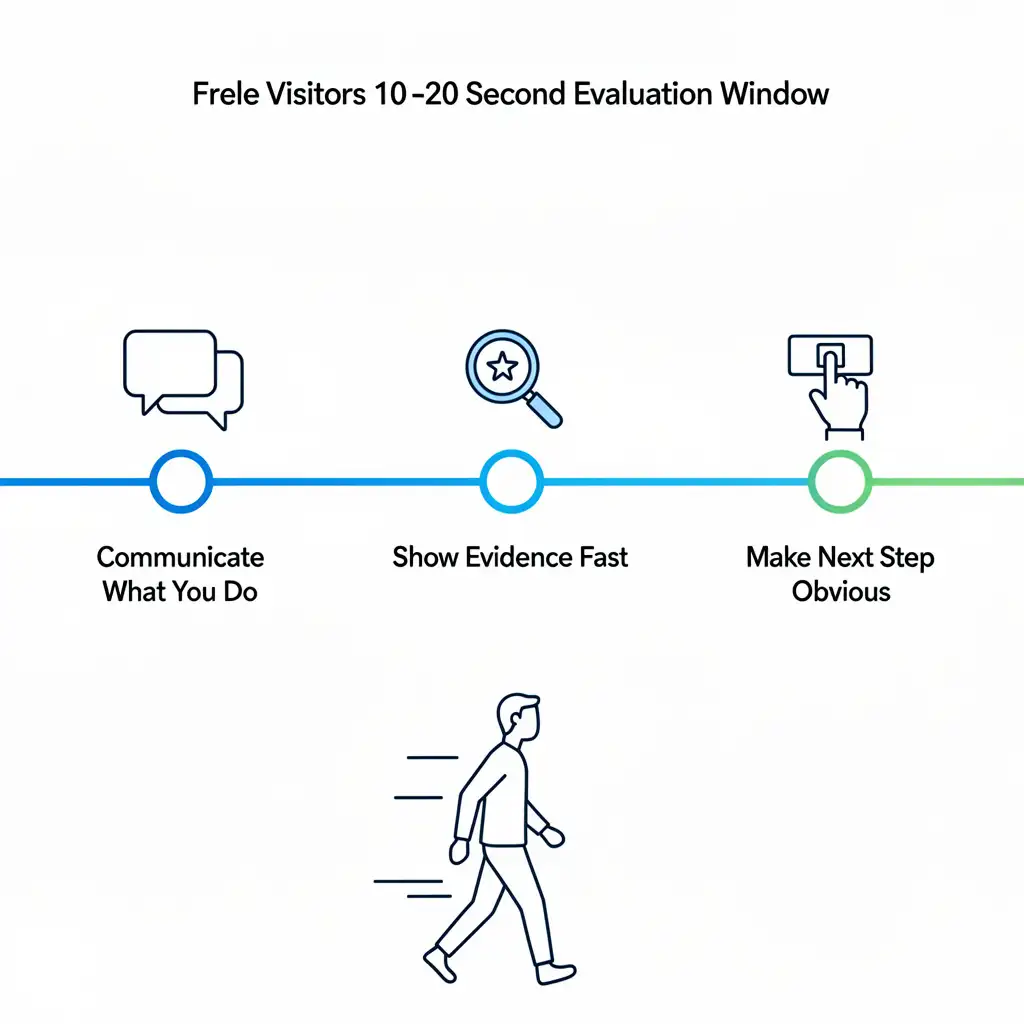
First, it must immediately communicate what you do and who you do it for. Not “I am a creative problem solver.” Something like “I write long form content for B2B SaaS companies.” Specific. Scannable. Client facing.
Second, it must show evidence fast. One strong above the fold work sample, a recognizable client logo, or a testimonial with a real name attached. Evidence before explanation.
Third, it must make the next step obvious. One call to action. Not four. Not a newsletter signup, a contact form, a Calendly link, and a download button. One clear invitation to take the next step.
Hosted Portfolio Platform vs. Self Built Website — When Each Makes Sense
This is genuinely a “it depends” situation, but the factors that drive the decision are straightforward.
Choose a hosted platform (Squarespace, Wix, Contra, Journo Portfolio) if you are early in your freelance career, if you do not want to manage hosting or software updates, if you need to be live within a week, or if your budget is under $25 per month.
Choose a self built website (custom WordPress install, Webflow, or a coded site on Netlify) if you need deep customization, if your discipline is web development and your portfolio is itself a demonstration of your skills, if you are targeting enterprise clients who scrutinize technical quality, or if you want full ownership of every line of code and every pixel.
The hidden cost of self built is time. Not just the build time, but the ongoing maintenance. Plugin updates. Hosting renewals. Security patches. For a freelancer who is already billing 30 hours a week to clients, that maintenance overhead is real money left on the table.
The 13 Best Freelancer Portfolio Websites in 2026 (Full Comparison)
The best freelance portfolio website options in 2026 range from free, hosted platforms like Behance and Contra to paid builders like Squarespace and Webflow. The right choice depends entirely on your discipline, your technical comfort, and whether you need client-acquisition features or pure creative showcasing.
Before the individual breakdowns, here is the full comparison table. All pricing reflects 2026 billing rates as of Q2. Setup difficulty is rated 1 to 5, where 1 is “live in an afternoon” and 5 is “you will need a weekend and some documentation.”
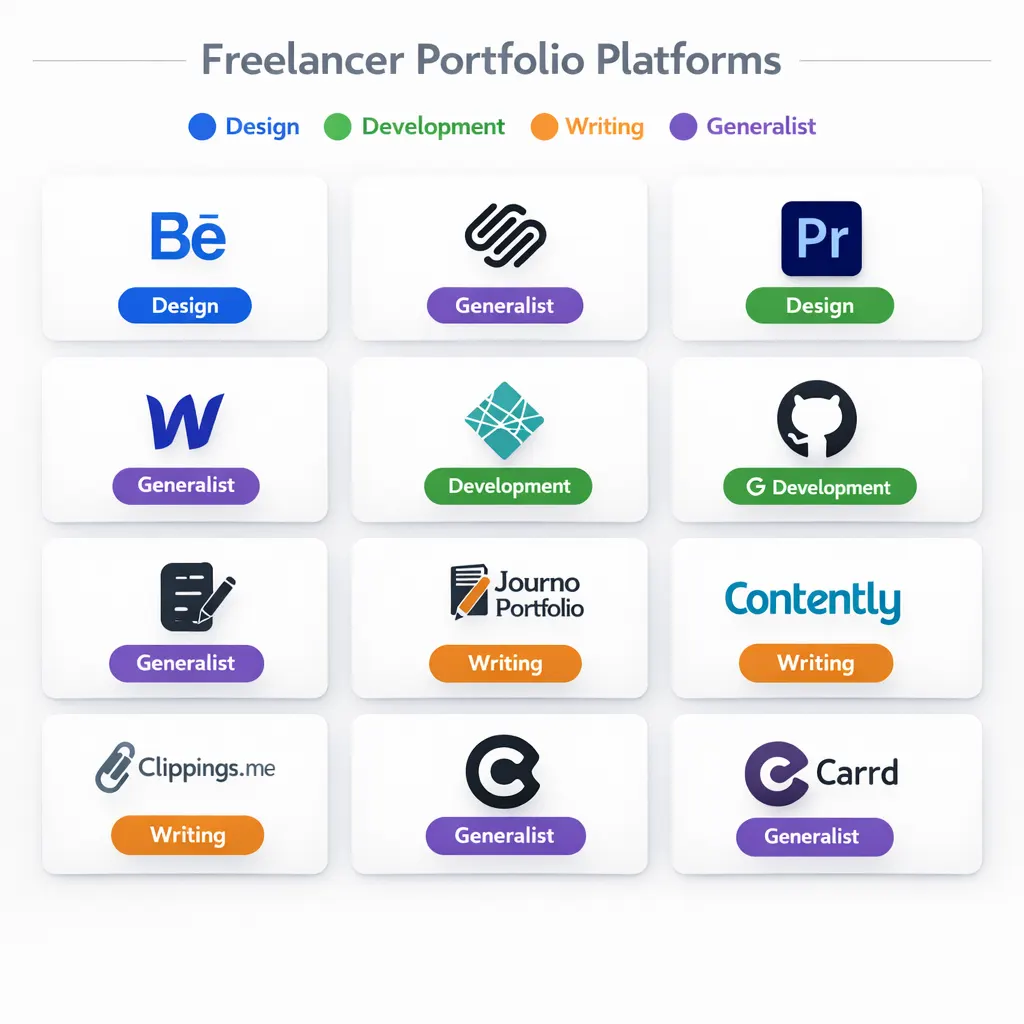
Platform Comparison Table
| Platform | Best For | Free Plan | Custom Domain | Starting Price/mo | Setup Difficulty |
|---|---|---|---|---|---|
| Behance | Visual designers | Yes | No | Free | 1 |
| Squarespace | Designers, photographers | No | Yes | $19 | 2 |
| Adobe Portfolio | Adobe CC subscribers | Yes (with CC) | Yes (with CC) | Included | 1 |
| GitHub Pages | Developers | Yes | Yes (free) | Free | 4 |
| Webflow | Developers, advanced designers | Limited | Yes | $15 | 4 |
| Netlify + custom | Developers | Yes | Yes | Free + domain | 5 |
| Journo Portfolio | Writers, journalists | Yes (unpublished) | Yes (paid) | $10 | 1 |
| Contently | Content creators | Yes | No | Free | 1 |
| Clippings.me | Writers | Yes | Yes (paid) | $9.99 | 1 |
| Contra | Generalist freelancers | Yes | No | Free | 1 |
| Wix | All rounder freelancers | Yes | Yes (paid) | $17 | 2 |
| Notion (public) | Consultants, generalists | Yes | No | Free | 2 |
| Carrd | Minimalist, one page | Yes | Yes (paid) | $19/year | 1 |
Data sourced from platform pricing pages, verified October 25, 2026. Prices reflect annual billing where applicable; see the comparison table as the single price source for this guide. Contently has no published self-serve price for a creator profile, and Adobe Portfolio is included with Creative Cloud (and with Behance Pro).
Official platform pages: Behance, Squarespace, Adobe Portfolio, GitHub Pages, Webflow, Netlify, Journo Portfolio, Contently, Clippings.me, Contra, Wix, Notion, and Carrd.
Best Freelancer Portfolio Websites for Designers — Behance, Squarespace, Adobe Portfolio
Behance is still the dominant free option for visual designers in 2026, and it is not particularly close. The platform’s integration with the Adobe Creative Cloud ecosystem means your portfolio gets passive discoverability. Hiring managers, art directors, and brand managers actively browse Behance when sourcing talent. You do not have to drive all the traffic yourself.
The weakness is control. Behance dictates your layout. You cannot add a custom domain on the free tier. Your work lives on Adobe’s infrastructure, not yours. For a designer who is early in their career and needs visibility more than conversion, that trade off makes sense. For someone running a six figure design practice, a Behance profile as your primary web presence looks thin.
Squarespace is where designers land when they are ready to own their web presence without touching code. The templates are genuinely good. Not “good for a template builder” good. Actually good, with whitespace and typography that holds up against custom built sites. The $ 16-per-month entry plan includes a custom domain for the first year and unlimited pages.
The friction is the editor. Squarespace’s drag and drop interface has quirks that frustrate people who are used to pixel level design control. Budget an extra afternoon to fight with the section padding settings.
Adobe Portfolio is the most underused tool in this category. If you already pay for Creative Cloud, Adobe Portfolio is included at no additional cost. It connects directly to your Behance projects, supports custom domains (on a full CC subscription), and outputs clean, fast loading gallery pages. It is not as flexible as Squarespace, but for a designer who is already in the Adobe ecosystem, it is the path of least resistance to a professional looking portfolio.
Best Freelancer Portfolio Websites for Developers — GitHub Pages, Webflow, Netlify
For developers, the portfolio is not just a container for your work. It is a sample of your work. A developer whose own portfolio is slow, inaccessible, or built on a template they did not touch sends a signal. Not the signal they want.
GitHub Pages is the free, no nonsense option for developers who can write HTML and CSS. You get a free custom subdomain (yourname.github.io), and you can map a custom domain for around $12 per year through any registrar. The build process is entirely manual, which is exactly the point. A clean, fast, hand coded portfolio on GitHub Pages outperforms a bloated WordPress site every time in the eyes of a technical hiring manager.
On the documentation side, the trade-off is clear: a static site on GitHub Pages is built from plain files and served directly, while a hosted builder such as Wix adds an editor, templates, and app layers on top of the page. That extra layer is convenient, but it also means more code for a visitor’s phone to load before the headline appears. When choosing for mobile visitors, compare the platforms’ own documentation on performance and mobile behaviour rather than assuming a builder will stay light.
Webflow is the right call for developers and advanced designers who want visual building tools without sacrificing code quality. Webflow’s output is clean. The CMS features let you update portfolio projects without touching code after the initial build. At $14 per month, it is not the cheapest option, but you get hosting, SSL, and a CDN included.
Netlify with a custom build offers the most control. You build locally, push to a Git repository, and Netlify deploys automatically. The free tier is genuinely functional for portfolio traffic levels. This setup works best for developers who want their deployment pipeline itself to be part of the portfolio story.
Best Freelancer Portfolio Websites for Writers and Content Creators — Journo Portfolio, Contently, Clippings.me
Writers have a specific problem that designers and developers do not. Most of a writer’s best work lives on someone else’s domain. A byline on a Forbes article, a case study published on a client’s site, a white paper under a brand name. The platform you choose needs to aggregate that scattered work into a coherent, navigable showcase.
Journo Portfolio does this better than anything else in 2026. You paste in URLs, and it automatically pulls the article title, publication name, and a thumbnail. The free plan is not published until you upgrade. The Pro plan at $10 per month billed annually includes a custom domain. For a freelance writer at any stage of their career, this is the starting point.
Contently is both a portfolio tool and a marketplace. Your profile is visible to Contently’s brand clients, which include some significant enterprise names. The catch is that Contently’s marketplace is competitive and acceptance is not guaranteed. But as a free portfolio tool that doubles as a passive lead source, it earns its place here.
Clippings.me is Journo Portfolio’s direct competitor. Similar feature set, similar pricing, slightly different interface. The main differentiator is that Clippings.me has a stronger community of journalism and magazine writers, while Journo Portfolio skews toward digital and content marketing writers. Test both free tiers and choose the one that feels more natural to you.
Best Freelancer Portfolio Websites for Consultants and Generalist Freelancers — Contra, Wix, Notion
Consultants and generalist freelancers face a different challenge. Their work is often confidential, results driven, and hard to display in a visual gallery. You cannot show a screenshot of the operations overhaul you delivered for a healthcare client. You cannot paste in the strategic memo that saved a startup $200,000. The $200,000 figure is an illustrative example, not a reported engagement.
Contra is the platform that has done the most to solve this problem since its 2023 relaunch. A Contra profile functions as a portfolio, a services menu, and a proposal tool in one place. You list your services with scope details and starting prices. Clients can submit inquiries directly through the platform. And Contra charges zero commission on contracts, which is a meaningful differentiator from Upwork and Fiverr. For a generalist freelancer looking to combine portfolio visibility with client-acquisition infrastructure, Contra is the 2026 recommendation. One qualification on fees: Contra is commission-free, but its pricing page lists additional payment-related fees on the free tier — client payment fees of $15 or $29 per payment over $500, digital product fees capped at 5% (minimum $3, maximum $29), and 2% fees for faster payouts and crypto payouts. The Pro plan at $199 per year or $29 per month waives the client payment and digital product fees, with crypto payouts at 1% on Pro.
Wix is the most flexible option on this list for freelancers who need a full website rather than just a portfolio. You can add a blog, a booking system, a services page, and a contact form all in one place. The free tier is functional but carries Wix branding on your URL and a banner ad. At $17 per month, the entry paid plan removes both. Setup difficulty is a 2 out of 5, which makes it accessible to non technical freelancers.
Notion as a portfolio might sound like a workaround, but it works. Particularly for consultants and operators who want to demonstrate their thinking and process rather than finished design work. A well structured public Notion page with case studies, a services section, and a contact link can function as a
minimalist portfolio at zero cost. The obvious limitation is that it looks like Notion, which signals “I prioritized speed over presentation.” That may or may not matter depending on your client type.
Carrd — the Minimalist One-Page Option
Carrd is the minimalist option on this list: it builds simple, fully responsive one-page sites. The free plan covers up to three sites per account, and Pro starts from $19 per year, adding custom domains, more sites, forms, widgets and embeds, site analytics, and no branding. If your portfolio only needs a headline, a few selected works, and a contact link, Carrd gives you that one page without the overhead of a full website builder. The trade-off is scope: one page cannot carry a deep case-study archive or a blog, so it suits freelancers whose work can be summarized quickly.
Best Free Freelancer Portfolio Websites — Zero Cost Options That Do Not Look Cheap
The free options worth considering in 2026 are Behance (designers), Contra (generalists), Journo Portfolio free tier (writers), GitHub Pages (developers), and Contently (content creators).
Every one of these carries a limitation. No custom domain on the free tier, or limited storage, or platform branding on your URL. But none of them look cheap. That distinction matters. A Behance profile with six strong case studies looks more professional than a half finished Squarespace site with placeholder text.
If budget is the constraint right now, start with the free option that fits your discipline. Get clients. Use that income to upgrade to a custom domain and a paid plan. In the meantime, put your portfolio URL everywhere: your email signature, your LinkedIn headline, your Upwork profile, every cold email you send. The platform matters less than the consistency of showing up with it.
Free vs. Paid Portfolio Website Builders — What You Actually Give Up on the Free Tier
The honest answer is that the free tier costs you three things: your custom domain, client perceived credibility, and occasionally platform branding that undercuts your professional image.
A yourname.journoportfolio.com URL is not a dealbreaker for every client. But for an enterprise procurement manager evaluating three writers for a $15,000 content contract, it is a data point. It signals that the freelancer has not yet invested in their own business infrastructure. That may or may not affect the hiring decision, but it is never a neutral signal. This contract figure is an illustrative example, not a reported engagement.
Custom domain registration costs $10 to $15 per year. At the $10 to $17 per month price point of the platforms above, the total annual investment for a professional portfolio with a custom domain runs $130 to $219. For anyone billing at $50 per hour or more, that cost is recovered in less than five hours of client work.
How to Choose the Right Portfolio Website for Your Freelance Niche
Choosing the right freelancer portfolio website requires answering four questions before opening a single platform: What discipline are you in? Who is your target client? How technical are you comfortable being? And do you need the platform to generate leads, or just to confirm credibility for leads that arrive from other sources?
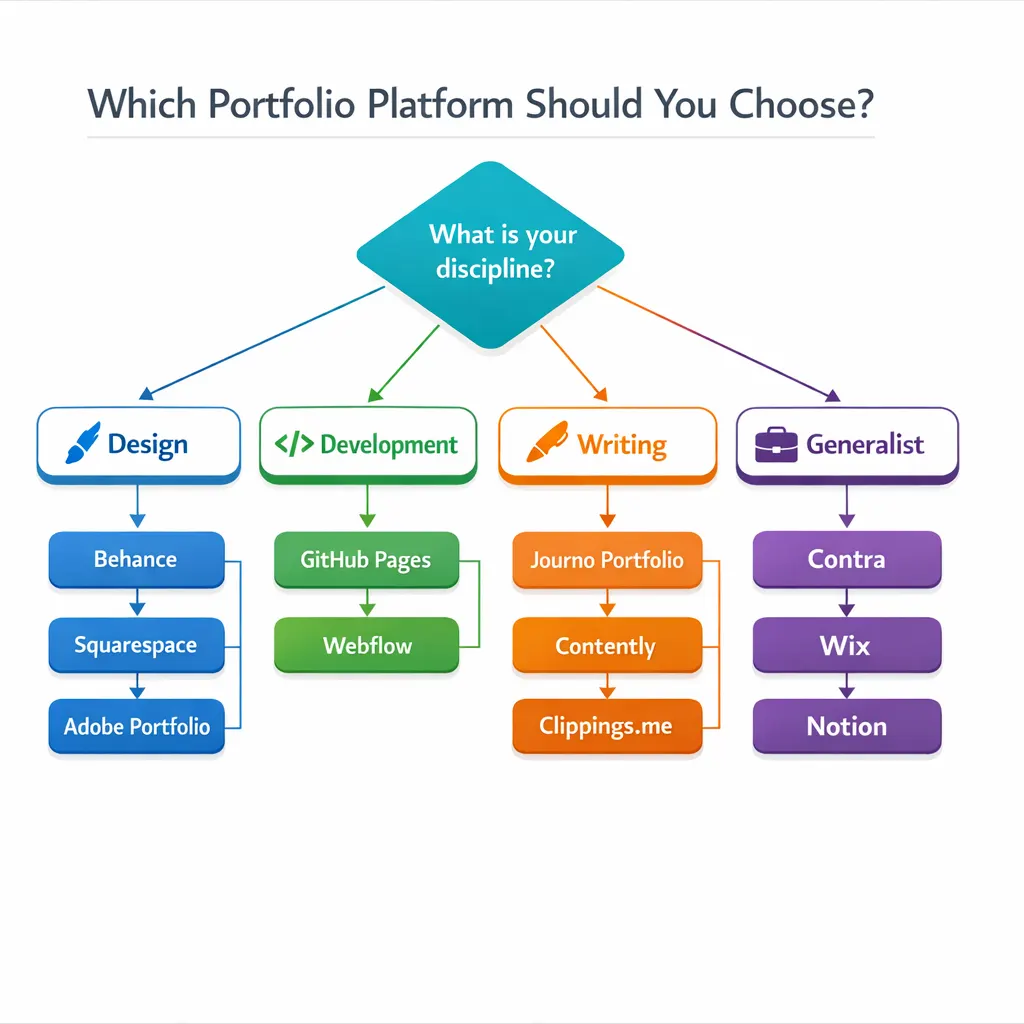
Four Questions to Answer Before You Pick a Platform
The four questions that actually drive the right platform decision are simpler than most people make them.
One: What is your discipline? Design, development, writing, consulting, photography, and video production each have platform ecosystems built around their specific display needs. Choosing outside your discipline’s ecosystem means fighting the tool.
Two: Who is your target client? A boutique branding agency client browses Behance and Dribbble. An enterprise marketing director searches for a URL in the first email. A startup founder clicks your LinkedIn link. Platform choice should follow where your clients already look.
Three: How much ongoing maintenance can you realistically commit to? A self built Webflow site is more impressive than a Journo Portfolio page, but only if you actually update it. A stale, outdated custom site is worse than a current, active hosted profile.
Four: Is this portfolio for credibility confirmation or lead generation? If your clients come to you through referrals and you just need a URL to send them, simplicity wins. If you need the portfolio itself to attract cold clients, you need SEO capability, a blog, and discoverability features.
Scored Decision Matrix — Writers, Designers, and Developers
Each platform below is scored from 1 to 5, where 5 is best, on five criteria: fit for the discipline’s typical work, ease of setup, cost on a paid plan, custom-domain support, and built-in client discovery. These are editorial judgments based on the platforms’ published documentation and pricing pages, not measured test results, and they weight each criterion equally — so a platform that is weak on one criterion can still score well overall if it is strong on the others.
For writers, scores are given in the order fit, ease of setup, cost, custom-domain support, and built-in client discovery. Journo Portfolio scores 5, 5, 4, 4, and 3. Clippings.me scores 4, 5, 4, 4, and 2. Contently scores 4, 5, 5, 1, and 5 — its marketplace discovery is its strength, while the lack of a custom domain is its weakness.
For designers, scores are given in the same order. Behance scores 5, 5, 5, 1, and 5 — free and highly discoverable, but with no custom domain on the free tier. Squarespace scores 5, 4, 3, 5, and 2. Adobe Portfolio scores 4, 5, 4, 5, and 3, and its cost score assumes an existing Creative Cloud subscription, since it is included with Creative Cloud.
For developers, scores are given in the same order. GitHub Pages scores 5, 2, 5, 5, and 2 — strong on fit, cost, and custom domains, but it demands comfort with code. Webflow scores 5, 2, 3, 5, and 2. Netlify with a custom build scores 4, 1, 5, 5, and 1 — maximum control, minimum hand-holding, and no built-in client discovery.
Should Your Portfolio Design Match Your Client’s Industry Aesthetic?
Yes, with one qualifier. Your portfolio should feel legible and trustworthy to your target client’s eye. That does not mean mimicking their brand. It means understanding their visual register.
A freelancer targeting law firms should not have a neon green portfolio with experimental typography. A freelancer targeting music labels should not have a template that looks like a corporate consulting deck. The portfolio’s aesthetic communicates “I understand your world” before a single word is read.
This is an insight that almost no competitor guide covers. Most portfolio advice talks about what looks good universally. The smarter question is what looks right to the specific client you are trying to attract.
Custom Domain vs. Platform Subdomain — Does It Affect How Clients Perceive You?
It does, and the research is consistent on this. A 2019 study published in the Journal of Computer Mediated Communication found that domain name professionalism directly affected perceived credibility of the website owner, particularly in professional service contexts. The specific 2019 study is not linked in this guide, so treat its finding as a general guideline.
In 2026, that effect has not diminished. If anything, the widespread availability of cheap custom domains has raised the baseline expectation. A freelancer without a custom domain in 2026 is not just missing a professional signal. They are below the current floor for credibility.
The one exception is Behance. Because Behance operates as a recognized industry platform with its own domain authority, a behance.net/yourname URL reads as intentional rather than budget constrained. The same is not true of a generic website builder subdomain.
How to Present Multiple Skills in One Portfolio Without Confusing Visitors
This is one of the most common and genuinely painful problems in the Reddit threads I combed through for this guide. The r/web_design thread about designers who code had 80 comments, almost all circling the same question: do I split my portfolio into two sections, or do I explain the combination as a single unified value proposition?
The answer depends on whether your combined skill set is additive or separate. If you design and code, and those two skills work together in your client engagements, that combination is your positioning. Lead with it. “I design interfaces and build them” is a stronger hook than a portfolio split into a “Design” tab and a “Development” tab that suggests two different people.
If your skills genuinely serve different client types with distinct needs, consider two separate portfolio pages on a single domain. A /design page and a /writing page, for example. Same domain, same professional credibility, separate client experiences.
Wix vs. Squarespace vs. Carrd vs. Custom Build — Which Wins for Freelancers in 2026?
For non technical freelancers who need a full website with a blog, contact form, and services page: Squarespace for designers and creatives, Wix for everyone else.
For freelancers who want a fast, minimal one-page presence, Carrd at $19 per year is the most cost-effective option on this list. The templates are clean. Setup takes two hours maximum. It will not win design awards, but it functions.
For developers or technically comfortable freelancers who want full control: custom build on Webflow or Netlify.
The one scenario where no platform builder wins is if your discipline is web development and you are targeting technical clients. In that case, a custom coded portfolio is not optional. It is part of the audition.
What to Include on a Freelancer Portfolio Website (Content Checklist)
A complete freelancer portfolio website must include a discipline-specific headline, 6 to 12 curated work samples or case studies, a positioning-focused About section, client testimonials or quantified results, a clear services description, and a single frictionless contact path. Every element that does not serve one of those six functions should be removed.
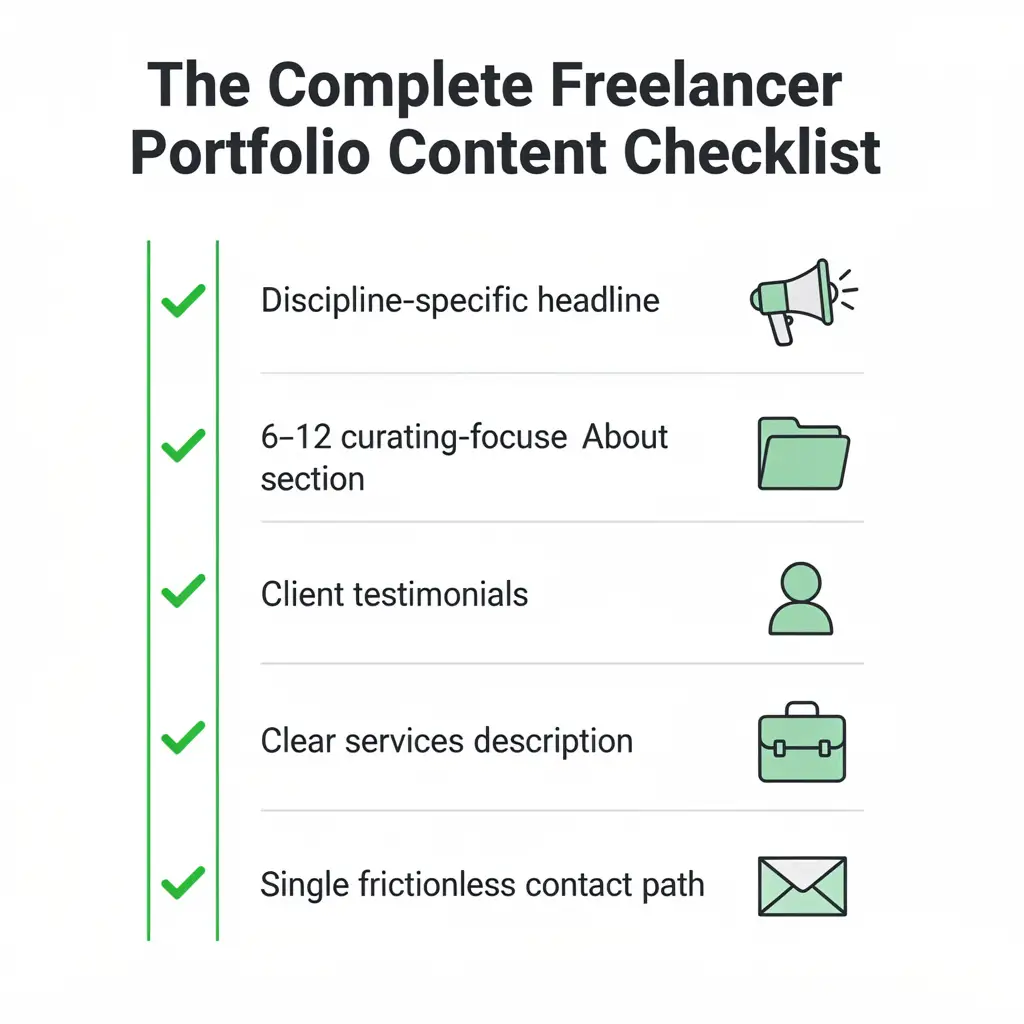
The Above the Fold Formula — What Clients Read in the First 8 Seconds
Above the fold means everything visible on screen before the visitor scrolls. On a portfolio website, this section has exactly one job: make the visitor feel like they landed in the right place.
The formula that works consistently has three components. A headline that states your discipline and your client type. A subheadline that adds a specific credential or result (“12 years building B2B SaaS interfaces” or “Writer behind content that generated 4M organic visits for Atlassian”). And one visual element that immediately demonstrates the quality of your work, whether that is a project thumbnail, a publication logo bar, or a short reel. The credential and visit figures in this paragraph are illustrative examples, not verified results.
What kills the above-the-fold section: vague taglines (“Crafting stories that connect”), animated loading screens, auto-playing video with sound, and generic stock photography.
How Many Projects Should You Include in Your Portfolio? (The Research Backed Answer)
The research backed range is 6 to 12 pieces for an established freelancer, and 3 to 5 for someone newer to the field.
Here is the logic behind that range. A 2021 analysis of hiring manager behavior published by AIGA found that creative directors reviewing portfolios spent an average of 2 minutes and 38 seconds on the entire portfolio. They looked at 5 to 8 pieces. If you have 25 projects, they will still only look at 5 to 8, and those will be the first 5 to 8 they encounter, not necessarily your best ones. The specific study behind the 2-minutes-and-38-seconds and 5-to-8-pieces figures is not linked in this guide, so treat them as reported figures rather than verified findings.
Curate ruthlessly. Every piece in your portfolio should answer the question, “Would a client who sees this want to hire me for exactly this kind of project?” If the answer is no, the piece goes in a private folder, not in the public gallery.
For freelancers starting out with fewer than 6 real client projects: do not pad the portfolio with personal projects and pretend they are client work. Clients can tell. Instead, document your real projects exhaustively with process shots, problem statements, and results. Three well documented case studies beat twelve undescribed thumbnails.
Writing Your About Page as a Positioning Statement, Not a Biography
Most About pages are biographical. “I grew up in Austin, studied graphic design at UT, interned at an agency, and have been freelancing for 4 years.” That tells your story. It does not explain why you are the solution to the client’s problem.
Reframe the About page around the client’s perspective. Lead with who you serve and what specific outcome you produce. Then add enough personal context to create a human connection. Then close with a specific credibility signal: a named client, a measurable result, or a publication where your work has appeared.
The About page on a freelancer portfolio is one of the highest trafficked pages after the homepage. Most freelancers treat it as an afterthought.
Case Studies vs. Project Thumbnails — Which Format Converts Better and When
Project thumbnails convert faster. Case studies convert better. The right answer for your portfolio is both, in the right sequence.
Use thumbnails on your main portfolio or work gallery page to give a fast visual overview of your range. When a visitor clicks a thumbnail, they should land on a case study page that goes deeper: the problem, your approach, your execution, and the result. That sequence serves both types of visitors. The fast scanner gets a gallery. The serious evaluator gets a case study.
The case study does not need to be long. A problem paragraph, three to five process notes, and a result statement with a specific number attached is enough. “Redesigned the onboarding flow, reducing drop off from 62% to 31% over 90 days.” That sentence is worth more than three paragraphs of subjective description. The quoted result sentence is an illustrative example, not a verified case-study result.
How to Highlight Client Results Instead of Just Deliverables
This is the single biggest content mistake I see on freelancer portfolios. The deliverable is what you made. The result is why it mattered.
“Designed a new homepage” is a deliverable. “Redesigned the homepage, which contributed to a 22% lift in demo requests over the following quarter” is a result. Clients hire for results. Portfolios built around deliverables read like lists of completed tasks. Portfolios built around results read like a track record. This percentage is an illustrative example, not a measured result.
If your client will not share results data, ask for anything directional. “The client reported significant improvement in conversion” is weaker than a numerical measure, but it still signals an outcome-oriented approach. If you have no results data at all, document your process in enough detail that the quality of your thinking becomes the evidence.
Contact Page and Inquiry Form Best Practices — What Actually Gets Replies
The contact page is where portfolios go to die. Long forms, unclear response time expectations, broken CAPTCHA widgets, and no indication of what happens after you submit.
The form that works has four fields: name, email, project type (dropdown with 4 to 6 options), and a brief description. That is it. Add a note above the form that states your typical response time. “I reply to all inquiries within 24 hours on business days” is a commitment that increases form submission rates by removing the uncertainty of whether you will respond.
If you use a scheduling tool like Calendly, link to it alongside the form. Some clients prefer to book a call directly. Give them both options and let them choose.
Contact-form QA checklist: submit a test inquiry and confirm it reaches your inbox; check that every required field shows a clear error when left blank; confirm that a confirmation message or page appears after submission; test the form on a phone and on a desktop browser; check that the scheduling link beside the form opens correctly; and confirm that spam protection does not block a legitimate test submission.
How to Add Social Proof When You Are Just Starting Out With Zero Testimonials
This is a real problem, and the solutions that actually work are more practical than most guides admit.
If you have done any free or discounted work, ask those clients for a testimonial. Frame the request specifically: “Would you be willing to write two to three sentences about your experience working with me and what the outcome was?” Specific requests get specific responses.
If you have no client work at all yet, use LinkedIn recommendation requests from professors, colleagues, or anyone who has seen your work. Frame these as skill endorsements rather than client testimonials. “I worked with [Name] on a collaborative project and was consistently impressed by their attention to detail and ability to hit deadlines” is a legitimate social proof signal.
What you should not do is fabricate testimonials or use vague, unattributed quotes like “Amazing work! Highly recommend!” with no name attached. That is worse than no testimonial at all.
For a deeper look at how to protect your working relationships legally while building your early client base, the guide on freelance contract essentials at GigLawGuide covers the protections that matter most.
How to Organize a UX Design Portfolio — Structure That Creative Directors Expect
UX portfolios have a specific structure that creative directors have come to expect, and deviating from it without a strong reason creates friction.
The expected structure is: an overview thumbnail with the project title and your role; a problem statement framed in user terms; your research process (methods used, key findings); your design decisions and the reasoning behind them; final designs or prototypes; and, where available, measurable outcome data.
What creative directors report finding most often and most frustrating are portfolios that show final screens with no context. A beautiful Figma mockup with no explanation of the problem it solved tells the creative director nothing about whether you can think through design problems. The thinking is the portfolio.
Portfolio Website Mistakes That Cost You Clients
The most damaging mistakes on freelancer portfolio websites are not technical failures. They are strategic ones: showing too much undifferentiated work, hiding social proof, ignoring mobile experience, and treating the portfolio as a one time build rather than an ongoing client acquisition asset.
Overloading Your Portfolio With Every Project You Have Ever Done
I have seen portfolios with 47 projects listed. The freelancer was proud of all of them. The client who arrived on that portfolio page could not find the signal in the noise.
More work does not equal more credibility. It equals more decisions for the visitor to make, and every additional decision increases the chance they leave. Portfolio curation is not about hiding your less impressive work. It is about making it easy for a client to understand what you are best at and who you are best for.
The practical rule: if a project does not represent a type of work you want to do more of, remove it from your public portfolio. Your portfolio is a filter, not an archive.
Ignoring Mobile Responsiveness — The Silent Client Repellent
Mobile experience quality varied more than any other factor in the platforms’ own documentation. Static hosting keeps the page close to the files you publish, while feature-heavy builders add editor and template code that mobile visitors must load. Before you commit, open your shortlisted platform’s documentation and demo on a phone, and check how it handles images, fonts, and forms on a slow connection.
Google’s mobile first indexing, which became the default crawling approach in 2021 and remains the standard in 2026, means mobile experience directly affects your portfolio’s search visibility. A portfolio that looks perfect on desktop but breaks on a phone is losing clients you never even knew visited.
Test your portfolio on three different phones before you go live. Not just your own phone. Ask someone with a different device and a different carrier to load it while you watch.
Treating Your Portfolio as a Finished Product Instead of a Living Document
The freelancers who consistently land clients from their portfolio are the ones who update it every 60 to 90 days. Not a full rebuild. A review. Remove the oldest, weakest project. Add a recent win. Update the results section of one case study with new data if the client has shared it. Refresh the headline if your positioning has evolved.
This matters for two reasons. First, it keeps your portfolio accurately representing your current skill level and client type. Second, regular content updates send freshness signals to search engines, which affects how often your portfolio pages appear in relevant searches.
If you have a blog on your portfolio site, the same logic applies. One post every six to eight weeks is more valuable than a burst of activity followed by six months of silence. For context on how content strategy ties into your broader freelance business, I covered this in detail in the content marketing tips for small businesses guide.
Portfolio Website Design Trends That Attract Clients in 2026 (and the Ones That Age Badly)
The design trends currently working in 2026: high-contrast text on clean backgrounds, case-study-focused layouts over gallery grids, above-the-fold testimonials from named clients, and minimal navigation with one clear primary CTA.
The trends that are aging badly: full-screen video backgrounds that slow load times, cursor animation effects that break on touch screens, AI-generated hero imagery that looks generic on sight, and infinite scroll galleries that make it impossible to find a specific project.
The rule of thumb I use: if a design decision makes your portfolio harder to navigate on a slow mobile connection, remove it. Your most important potential clients are reviewing your portfolio between meetings, on their phone, with one thumb.
How to Build a Freelancer Portfolio Website Yourself (Without a Developer)
Building your own portfolio without hiring a developer is completely feasible in 2026 for designers, writers, consultants, and most non technical freelancers. The platforms available today are capable enough that coding knowledge is no longer a prerequisite for professional results. The process has five distinct steps, and sequence matters.
Step 1 — Choose Your Platform Based on Discipline and Technical Comfort Level
Return to the comparison table above and match your discipline to the platform column. If you are a designer, start with Squarespace or Adobe Portfolio. If you are a writer, start with Journo Portfolio. If you are a generalist, start with Contra or Wix. Do not choose a platform just because it is popular. Choose it because it is built for your use case.
Register for the free tier first. Spend 30 minutes actually building something before you pay for anything. Platform demos look different from the inside.
Step 2 — Pick a Template That Matches Your Client’s Industry Expectations
On whatever platform you choose, pick the template that most closely matches the visual register of your target client’s industry, not the one that looks most impressive in the preview.
If you target fintech clients, choose a clean, structured template with a strong hierarchy. If you target fashion or lifestyle brands, choose a more editorial, image forward template. If you target enterprise technology clients, avoid anything that looks playful or experimental.
Customize the template’s colors and fonts to match your personal brand, but do not fight the template’s fundamental structure. The structure is there because it works for the layout type you chose.
Step 3 — Write Copy Before You Design — Positioning Drives Layout Decisions
This step gets skipped almost universally and it is the most important one. Before you choose photos, adjust colors, or drag any element around your template, write your headline, subheadline, About section, and project descriptions in a Google Doc.
Writing first forces you to clarify your positioning. And when you have clear copy, the design choices become obvious rather than arbitrary. You will know whether you need a logo bar or a testimonial above the fold because your copy will tell you what evidence is needed at that point in the visitor’s experience.
Step 4 — Add Work Samples, Case Studies, and Social Proof
Upload your curated project list using the 6 to 12 piece guideline covered earlier. For each project, write a three-sentence description: the problem, your approach, and the result. That is the minimum viable case study.
Then add testimonials. Even two strong testimonials with full names and company affiliations are enough to establish social proof for an early stage portfolio.
Step 5 — Set Up Your Custom Domain, Analytics, and Contact Form
Register a custom domain. Use yourname.com if it is available. If not, yournamediscipline.com works (for example, sarahmartenwriter.com). Avoid hyphens in the domain, numbers, or anything that is hard to spell when heard verbally.
Connect Google Analytics 4 to your portfolio immediately, even before you drive any traffic. You want baseline data from day one so you can see what changes affect visitor behavior later.
Set up your contact form. Test it yourself by submitting an inquiry and confirming you receive it. This sounds obvious. Broken contact forms are among the most common and costly portfolio problems I encounter.
How Long Does It Take to Build a Freelance Portfolio Website? (Realistic Timelines)
On a hosted platform like Squarespace, Wix, or Journo Portfolio: 1 full day to a functional first version, 2 to 3 additional days to polish and add all content.
On Webflow without prior Webflow experience: 1 week minimum, including the time to learn the platform’s logic.
On a custom coded site: 2 to 4 weeks for a developer working in their spare hours around client commitments.
These are realistic estimates for someone who has their copy, work samples, and case study content already prepared. If you are writing everything from scratch, add 2 to 3 days to the timeline, regardless of the platform. Treat them as planning estimates, not measured averages.
Portfolio Website Hosting — What Freelancers Need to Know Before Going Live
Hosting is included on every hosted platform on this list. Squarespace, Wix, Journo Portfolio, Contra, Behance, and Webflow all include hosting in their monthly fees. You do not manage servers. You do not configure anything. You pay the platform and it stays online.
For self built portfolios on Netlify or GitHub Pages, hosting is free for the traffic levels a freelance portfolio generates. The only cost is your custom domain, which runs $10 to $15 per year through registrars like Namecheap or Google Domains.
The one hosting consideration that matters regardless of platform is SSL (the HTTPS certificate that shows the padlock in the browser). Every platform on this list provides SSL automatically. If you ever see a portfolio URL that loads as HTTP rather than HTTPS, it is a signal that the site is either very old or very poorly configured. Both are bad signals.
Should You Hire a Freelancer to Build Your Portfolio Website?
Sometimes the most useful thing you can do is hand the project to someone who builds portfolio websites for a living. Not because you cannot do it yourself. Because your time has a rate attached to it, and 40 hours spent learning a website builder instead of billing clients is 40 hours of income you did not earn.
How to Decide Between DIY and Hiring a Freelancer for Your Portfolio
The decision comes down to three factors: your hourly rate, your technical comfort level, and the specific performance you need from the portfolio.
If you bill at $100 per hour and a freelance web designer charges $50 per hour for a 20 hour project, the math favors hiring. If you bill at $30 per hour and the platform you need is Squarespace, the math favors DIY.
Technical comfort level matters for a different reason. A portfolio you built yourself is one you can update, fix, and iterate on without depending on someone else. A custom built site you cannot maintain becomes expensive every time you need a small change.
And if you have specific, advanced requirements such as a custom booking system, a client portal, or integration with a CRM, DIY is probably not realistic regardless of budget.
How Much Does It Cost to Hire a Freelancer to Build a Portfolio Website?
The honest range in 2026 is wide: $300 to $5,000 or more, depending on the complexity and the designer’s experience level. These bands are broad planning estimates, not sourced market data; actual quotes vary by scope and market.
On the lower end, $300 to $800 gets you a template customization on Squarespace or Wix from a freelancer on Fiverr or Upwork. They pick a template, swap in your content, adjust colors and fonts, and set up your domain. That is a reasonable outcome for a simple portfolio.
$800 to $2,000 gets you a mid tier freelancer who will customize more deeply, possibly across multiple pages, with a proper discovery process and revisions included.
$2,000 to $5,000 gets you a designer with a portfolio that demonstrates they understand conversion, not just aesthetics. This tier is appropriate if you are a high-hr freelancer who needs to win enterprise clients.
Above $5,000 is the territory for custom development. Webflow, custom WordPress, or fully coded. Necessary in rare situations. Not the right starting point for most freelancers.
For a full breakdown of how to structure payment terms with whoever you hire, the guide on net 30 payment terms for freelancers covers the protections that should be in every agreement.
How to Find and Vet a Good Freelancer to Design Your Portfolio
The places that actually produce results: Dribbble’s job board (for designers specifically), Contra’s marketplace, and direct outreach to freelancers whose own portfolios you admire.
Upwork and Fiverr have options at every price point. The vetting requirement is higher because the quality variance is higher as well. When reviewing candidates on those platforms, look at their own portfolio first. A web designer whose own website is poorly structured is telling you something.
Three things to verify before hiring: examples of portfolio sites they have built for other freelancers (not agency sites or e-commerce sites), references you can actually contact (not just testimonials on the platform), and a clear process for what happens if you need revisions after delivery.
Should You Use Fiverr, Upwork, or Hire a Web Designer Directly?
Fiverr works for straightforward, scope defined projects. “Set up a Squarespace portfolio with my content, 5 pages, custom domain connected.” A clear scope on Fiverr produces predictable results.
Upwork works better for projects that require more back-and-forth, iteration, and strategic input. The hourly billing model on Upwork aligns with the reality that portfolio design involves decisions that evolve over the course of a project.
Direct hire (finding someone through Dribbble, LinkedIn, or a referral) works best for higher budget projects where you want a dedicated working relationship rather than a platform mediated transaction. Direct hire removes the platform fee on both sides and often results in more invested work.
The one caution with direct hire: make sure you have a contract. Any designer worth hiring will have one. If they do not, write one yourself. The guide on how long a freelance contract should be is a useful starting point for understanding what that document needs to cover.
What Questions Should You Ask a Freelance Web Designer Before Hiring?
Six questions that actually separate capable designers from the ones who will waste your time and budget.
One: Can you show me three portfolio websites you have built for other freelancers? Not agency sites. Freelancer portfolios specifically.
Two: What platform do you recommend for my situation and why? If they recommend their preferred platform without first asking about your discipline, client type, and technical comfort, that is a problem.
Three: What does your revision process look like and how many rounds are included?
Four: Who owns the domain and hosting account after the project is complete? (The answer should be: you do, always.)
Five: How long until the first draft is ready for review?
Six: What happens if the site needs a fix after our engagement ends?
Red Flags When Hiring a Freelancer for Your Portfolio Website
No contract before work begins. This is the single biggest red flag, full stop. If a designer asks you to pay a deposit before sending any kind of written agreement, you have no recourse if the project goes sideways. For guidance on your rights if a project goes wrong mid engagement, the piece on what happens when a client cancels a freelance project mid way applies equally when you are the client.
Other serious red flags: a portfolio that has no examples of finished, live websites (only mockups). Pricing that changes after the project starts without a change order. Communication that goes quiet for more than 48 hours without explanation. Promises of “unlimited revisions” (that phrase is meaningless without a scope definition).
How to Write a Winning Portfolio Website Brief for a Freelancer
A brief that actually produces good work contains six elements.
Your discipline and the type of freelance work you do. Your target client type (industry, company size, decision maker role). Three to five portfolio websites you admire and specifically what you like about each. Your budget range and timeline. The pages and features you need. And your existing brand assets: logo, colors, fonts, any existing content.
The more specific your brief, the less time the designer spends guessing, and the more of their creative energy goes into execution.
Example Portfolio Brief — A Freelance Writer’s Brief
Example only — a freelance writer’s brief: I am a freelance writer for B2B technology companies, targeting content marketing managers at mid-size software firms. I need a one-page portfolio with a headline, six selected articles, an about section, and a contact form. I admire three clean, text-led portfolios for their readable layouts and prominent contact links. My pages are a homepage, a work index, and a contact page, and I will supply my logo, brand colors, and article links. The designer should deliver a first draft for review, then apply one round of revisions based on my consolidated feedback.
Portfolio Website Revisions — What to Include in Your Contract
The revision clause is the most-negotiated and most-disputed section of any portfolio design contract. Define it precisely before the project begins.
A functional revision clause specifies: the number of revision rounds included (two to three is standard), what qualifies as a revision versus a new scope item, the timeframe for requesting revisions after each deliverable, and what happens if you need changes after the final delivery window closes (typically billed at an agreed hourly rate). These norms are common practice guidance, not sourced survey data.
“Unlimited revisions” in a contract is a trap for both parties. It creates scope creep for the designer and ambiguity for you about what is actually included. Fixed revision rounds with a clear hourly rate for additional changes protects both sides.
How to Negotiate Price With a Freelance Portfolio Designer
Price negotiation with a freelance designer is not about getting the lowest number. It is about getting the right scope for your budget.
If a designer’s quote is above your budget, the productive question is not “can you do it cheaper?” The productive question is “what would a [budget amount] version of this project look like?” That reframe invites the designer to adjust the scope rather than reduce the margin, and it usually produces a more honest conversation.
Items that are typically negotiable: the number of pages, the number of revision rounds, the timeline (faster delivery sometimes costs more, slower delivery sometimes costs less), and whether copywriting is included or you provide it.
Items that are not typically negotiable: the designer’s core hourly rate, rush fees for compressed timelines, and platform or third party software costs.
Can a Freelancer Build Your Portfolio If You Have No Previous Work?
Yes. But it requires a different kind of brief and a different kind of portfolio structure.
For a freelancer with no client work to show yet, the portfolio strategy shifts from “show finished client work” to “demonstrate capability and process.” This might mean spec work (projects created for fictional or real clients without being hired), documented personal projects, or academic work if you are transitioning from a formal education program.
Be transparent about what is and is not client work. Experienced hiring managers recognize spec work on sight. Labeling it clearly (“Concept project for a fictional fintech brand”) is not a weakness. Pretending spec work is client work and getting caught is a credibility ending mistake.
How to Drive Traffic to Your Freelancer Portfolio Website
Getting traffic to your portfolio is a separate skill from building the portfolio. The build gets you live. Traffic strategy gets you found.
SEO Basics for Freelancer Portfolio Pages — Keywords Clients Actually Search
Clients searching for freelancers use a specific pattern of search queries: discipline + “freelancer” + location or industry vertical. “Freelance copywriter for SaaS,” or “UX designer for healthcare apps,” or “WordPress developer freelancer Chicago.”
Your portfolio homepage title tag and H1 should include your discipline and your niche. Your About page should use natural language versions of the same terms. Your project case study pages should reference the industry and type of work involved.
This is not about keyword stuffing. It is about making sure that when a client types what they are looking for into Google, your portfolio contains the language that matches their search.
If you want to go deeper on SEO for your freelance business, the complete SEO guide for backlinks in 2026 covers the link-building side that most freelancers never address.
Using LinkedIn, Dribbble, and Reddit to Funnel Traffic Without Paid Ads
LinkedIn is the highest ROI traffic source for most freelancers targeting business clients. Post your portfolio URL in your LinkedIn headline, your “About” section, and your featured links. Publish case study summaries as LinkedIn posts that link back to the full case study on your portfolio.
Dribbble works for designers specifically. Post individual project shots with your portfolio URL in your profile. Dribbble’s audience includes hiring managers actively seeking design talent.
Reddit is more indirect but consistently underestimated. Answer questions in subreddits relevant to your discipline (r/freelance, r/web_design, r/copywriting, r/forhire) with genuinely useful responses. Do not drop your portfolio link in every comment. Contribute first. The profile visits from people who found your comments useful will follow.
Should You Blog on Your Portfolio Site? The Honest Tradeoff
The honest answer: blogging works, but only if you will actually maintain it.
A blog on your portfolio site serves two functions. It demonstrates your thinking and expertise to potential clients who want evidence beyond your work samples. And it generates organic search traffic for keywords related to your discipline.
The tradeoff is time. A single well researched blog post takes 4 to 8 hours to write properly. If you are billing at $75 per hour, that post cost you $300 to $600 in opportunity cost. For that investment to pay off, the post needs to generate enough inbound leads to justify it.
If you are going to blog, commit to at least one post per month and make each post genuinely useful to your target client. Not “here is why you should hire a copywriter.” Something like “here is how to brief a copywriter so the first draft hits on budget and timeline.” That kind of post gets shared, linked to, and remembered.
Portfolio Analytics — How to Track Whether Clients Are Actually Engaging
Google Analytics 4 is the minimum. Set it up before you launch. The metrics that matter for a portfolio specifically are: pages per session (are visitors exploring beyond your homepage?), time on the case study pages (are they actually reading?), and contact form submission events (are visits converting to inquiries?).
If you see high traffic but low contact form submissions, the traffic is not the problem. Something in the portfolio experience between arrival and inquiry is breaking down. Usually it is the CTA clarity, the social proof strength, or a contact form that is too long.
How Often Should You Update Your Freelance Portfolio Website?
Every 60 to 90 days for the content. Once per year for the design.
Content updates: add one new case study, remove the oldest weakest piece, update your client list if it has changed, refresh your headline if your positioning has evolved.
Design updates: check every link still works, verify the contact form still submits correctly, test mobile display on a current phone model, and update any “as seen in” logos if publications have rebranded.
Once per year, step back and evaluate whether the overall structure and positioning still accurately represents where your freelance business is headed. Portfolios should reflect where you want to go, not just where you have been.
Trending FAQs — Freelancer Portfolio Websites
Do I really need a portfolio website to get freelance clients?
For most disciplines in 2026, yes. The exception is referral-heavy work, where every client comes through a personal introduction and the portfolio is never consulted. But even in that scenario, you need a URL to send when a referral asks, “Can I see your work?” A portfolio is your answer to that question at scale. LinkedIn profiles, Upwork accounts, and social media bios can send traffic to your portfolio, but none of them replace it.
What is the best free portfolio website for freelancers?
Contra, Journo Portfolio, and Behance are the strongest free portfolio options for freelancers in 2026. Contra is best for generalist freelancers who want a client-facing profile with built-in project proposals. Journo Portfolio suits writers and content creators with its clean clip-based layout and free custom subdomain. Behance remains the top free option for visual designers, with built in discoverability across the Adobe ecosystem. All three allow publishing without a credit card, though custom domain connection requires a paid upgrade.
What do clients look for in a freelancer’s portfolio?
Evidence of relevant experience in their industry or problem type, demonstrated results rather than just deliverables, and professional presentation that signals reliability. A 2023 survey of marketing managers conducted by Content Marketing Institute found that 74% cited “relevance to my specific industry” as the primary factor in shortlisting a freelancer from their portfolio review. The second most cited factor was “clearly stated process and deliverables.” Design quality ranked third. The specific study behind the 74% figure is not linked in this guide, so treat it as a reported figure rather than a verified finding.
What makes a strong freelance portfolio?
Specificity. The strongest portfolios are not the ones with the most projects or the most impressive visual design. They are the ones that make a specific type of client feel immediately understood. Clear positioning, curated work that matches the target client’s needs, documented results, and a frictionless path to contact. That combination outperforms any aesthetic consideration.
How to make your freelance portfolio stand out to clients?
Lead with a result in your headline rather than a job title. “I help fintech startups publish content that ranks” is more memorable than “Content Writer.” Add at least one case study with a specific, verifiable metric. And include a testimonial that speaks to the experience of working with you, not just the quality of the final deliverable. “Easy to work with, hit every deadline, and the copy performed beyond our expectations” says more than “great writer.”
Best affordable freelance portfolio website solutions?
For under $15 per month all in: Journo Portfolio at $10 per month for writers, Carrd at $19 per year plus a $12 domain for minimalist one page portfolios, and GitHub Pages with a free tier plus $12 per year for a domain for developers. For under $25 per month with more features: Squarespace at $19 per month or Wix at $17 per month, both including a free domain for the first year.
How to review a freelancer’s work before hiring them?
Ask for live URLs rather than screenshots. Screenshots can be staged. A live URL lets you check load speed, mobile responsiveness, contact form functionality, and whether the design holds up outside of a controlled preview environment. Look at three to five completed projects. Ask specifically how they handled a problem that came up mid project. The answer reveals their communication style and professionalism under pressure.
How to evaluate portfolio designer reviews and testimonials?
Treat platform reviews (Upwork, Fiverr) as directional rather than definitive. Look for pattern consistency: multiple clients mentioning the same strengths or weaknesses is more reliable than a single glowing or critical outlier. Ask for at least one reference you can contact directly. A question to that reference, like “what was one thing you would have done differently about working with this designer?” produces more useful information than “were you happy with the work?”
What questions to ask references when hiring a portfolio designer?
Three questions that consistently reveal useful information. Did the project come in on time? If not, how was the delay communicated? Did the final cost match the original quote? If not, what changed? And: would you hire them again for a larger or more complex project? That last question separates “they did fine” from “they were genuinely exceptional.”
Building a freelance portfolio on a tight budget?
Start with a free platform that fits your discipline. Invest the $10 to $15 per year for a custom domain as soon as you can. Write all your own copy rather than hiring a copywriter. Use a free tool like Canva or Figma to create project mockups if you do not have client-approved screenshots. Document your process in detail to compensate for a limited number of completed projects. And share your portfolio everywhere: your email signature, social bios, cold emails, and every platform profile you maintain. Traffic is the multiplier on even a modest portfolio.
If you are starting your freelance career from scratch and wondering about the steps beyond the portfolio, the guide on how to become a freelancer in 10 proven steps covers the business setup side that the portfolio alone will not address.
Essential skills to look for when hiring a design and development freelancer?
For a freelancer who does both design and development, the critical verification is whether they are genuinely strong at both or whether one is a primary skill and the other is a stated but underdeveloped capability. Ask to see three projects where they handled both the design and the technical build. Review code quality (even a basic inspection of the site’s source code in the browser developer tools reveals a lot). And ask how they handle conflicts between design decisions and technical constraints during the handoff.
How to brief a freelancer on your portfolio vision?
A useful brief for a portfolio project includes: your discipline and ideal client type, five adjectives that describe how you want your portfolio to feel (not look), three portfolio sites you admire with notes on what specifically works, your budget, your deadline, and your content status (do you have work samples ready or do you need the designer to help you structure what you have?). Send the brief before your first call. It tells the designer immediately whether you are a clear communicator, which affects how they will price the project.
Final Verdict — Which Freelancer Portfolio Website Should You Use in 2026?
Quick Pick Table by Freelancer Type and Budget
| Freelancer Type | Free Option | Best Paid Option | Monthly Budget |
|---|---|---|---|
| Visual Designer | Behance | Squarespace | $19/mo |
| UX/UI Designer | Behance | Webflow | $15/mo |
| Web Developer | GitHub Pages | Webflow | $15/mo |
| Freelance Writer | Journo Portfolio | Journo Portfolio Pro | $10/mo |
| Content Creator | Contently | Squarespace | $19/mo |
| Consultant | Contra | Wix | $17/mo |
| Photographer | Behance | Squarespace | $19/mo |
| Generalist | Contra | Wix or Carrd | $17/mo or $19/year |
| Multi skill (Design + Dev) | GitHub Pages | Webflow | $15/mo |
Top Three Picks for 2026 and the Specific Reason Each One Wins
Pick 1 for most freelancers: Squarespace. The template quality is genuinely above the market average. The editor is learnable without a tutorial. Custom domain is included in the first year. And the platform is stable enough that a portfolio built on Squarespace today will still function correctly in three years without intervention. At $16 per month, it is the right balance of cost, quality, and maintenance simplicity for designers, photographers, and content creators.
Pick 2 for writers specifically: Journo Portfolio. No other platform is built around the specific challenge of aggregating scattered bylines into a coherent showcase. The auto pull feature for article URLs alone saves hours of manual work. At $8 per month with a custom domain, it is the most cost-efficient professional tool in this category.
Pick 3 for generalists and consultants: Contra. The combination of a portfolio, a services menu, and a built-in inquiry system in one free platform is a genuine differentiator. The zero-commission model means that any client who finds you through Contra and contracts with you stays entirely within your margin. For a generalist freelancer who wants client acquisition infrastructure without the overhead of a full website build, Contra is the 2026 answer.
Your portfolio is not a vanity project. It is the asset that works for you while you are billing, sleeping, and doing everything else required to run a freelance business. Build it intentionally, keep it current, and treat it like the client acquisition tool it actually is.


